
Artmate: Drawing Together
Braly JSCArt & Design
4.6262.00 Reviews
- Version
- 1.1.42
- Installs
- 10.00M
- Age Rating
- Everyone
Screenshots
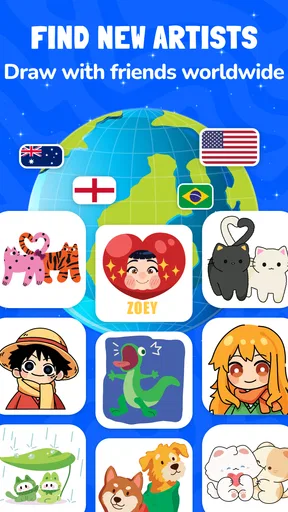
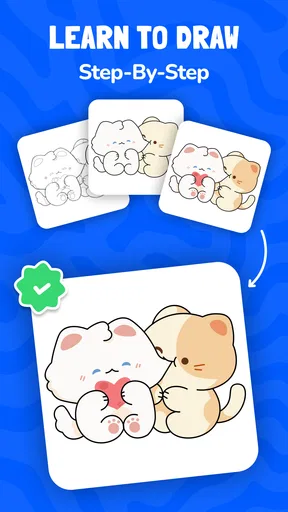
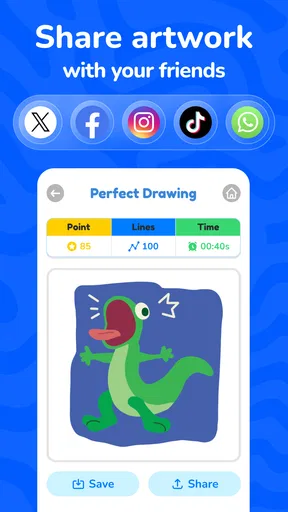
Our Review of Artmate: Drawing Together
 Analysis by Appyee
Drawing with another person sounds simple until you try to coordinate what to make, who should lead, and how to keep a casual session from feeling like a lesson. Artmate: Drawing Together is built around that shared activity, with guided drawing as part of the experience. I see its strongest appeal in making art feel social and low-pressure rather than turning a phone into a miniature professional studio. That focus is also the right lens for judging it: this is an app to consider for friendly, accessible drawing, not an obvious substitute for a full-featured illustration tool.
Drawing with company, not just a blank canvas
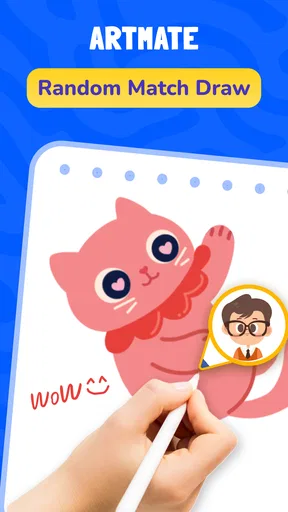
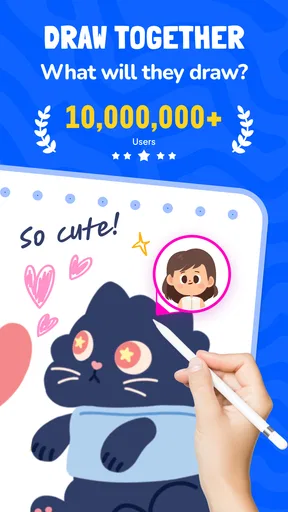
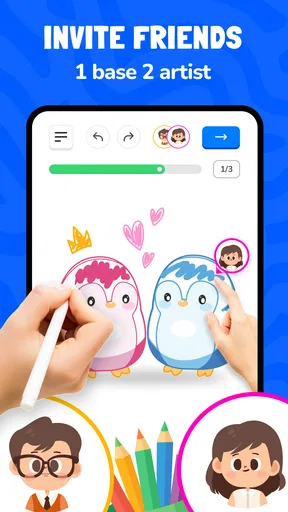
Artmate is an art and design app from Braly JSC. Its central idea is to draw alongside friends while using easy lessons for direction. That combination can help when a blank page is more intimidating than the act of drawing itself. A prompt or lesson gives a group somewhere to start, while the shared activity supplies a reason to keep going even when the results are uneven.
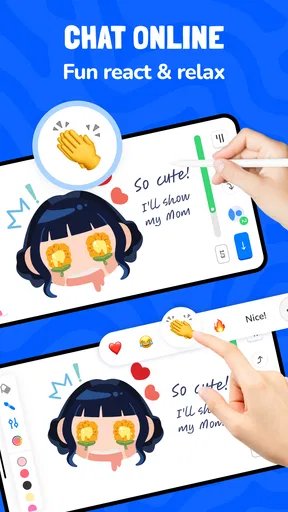
In my view, that social framing is more distinctive than the promise of lessons alone. Plenty of art apps are designed around solitary practice: open a canvas, work through a tutorial, and save the result. Artmate instead makes another person part of the point. It suits a relaxed creative break, especially for friends who want an activity they can enjoy without needing to be skilled artists.
The app has a 4.6 average from around 23,000 ratings, and it has passed 10 million installs. Those figures suggest broad interest, but they do not tell me whether a particular group will enjoy drawing together. The more useful question is whether your friends want to make something side by side, rather than simply chat or compete. If they do, the format has a clear purpose; if they are looking for advanced tools or a structured course, the fit is less certain.
What a shared drawing session is good for
A realistic use is a short catch-up with a friend when neither of you has the energy to plan an elaborate game or outing. You can choose a simple subject, follow the lesson as a starting point, and enjoy comparing how each person interprets it. The value is not that everyone produces a polished picture. It is that a shared task gives the conversation something to orbit around, and the lesson can prevent the familiar “what should we draw?” pause.
It may also work for a family activity when the goal is to encourage participation rather than judge technique. A beginner can follow along without needing to know art terminology, while a more confident participant can add personal touches. I would treat the lesson as a scaffold, not a rulebook: if the group gets more enjoyment from improvising, there is little reason to insist that every line match a model.
One practical tip is to agree on the mood before starting. A playful drawing session benefits from choosing a subject everyone can interpret loosely; a practice session works better when participants are happy to slow down and follow guidance. This small choice can avoid a mismatch where one person wants careful instruction and another just wants to doodle. Artmate’s social premise makes that expectation-setting more important than it would be in a solo sketch app.
Lessons help beginners, but they set a boundary
Easy lessons are a sensible entry point, particularly for people who draw rarely or feel self-conscious about starting. They give the activity shape and reduce the pressure to invent an idea from scratch. For a new artist, that can make a bigger difference than an expansive tool palette: knowing what to try next is often the real obstacle.
The trade-off is that guided drawing is not the same as learning a complete art practice. Someone seeking detailed instruction in composition, anatomy, perspective, layers, or a professional workflow should compare Artmate with dedicated drawing software or a structured learning resource. The app’s described emphasis is on approachable shared drawing, so I would not choose it on the assumption that it can replace those alternatives.
There is another distinction worth keeping in mind: lessons can make a group activity easier, but they can also make it feel less spontaneous if everyone treats the example as a target. I would use them to get moving, then let each participant change colors, details, or the direction of the drawing where the app allows. That approach keeps the activity social instead of turning a casual session into a test of accuracy.
Trust is a separate question from creative appeal
For a drawing app centered on friends, I would think about trust before inviting people into a session. A shared creative space can involve names, conversations, artwork, or other personal choices, depending on how an app is built. I do not assume anything about Artmate’s permissions or data handling without clear, verified information, and I would not treat a popular download count as proof of privacy practices.
That caution is not a claim that the app is unsafe. It is a reminder to distinguish the fun of the activity from the separate question of what an app asks users to share. Before using any social feature, I recommend reading the permission prompts and in-app notices when they appear, and deciding whether each request makes sense for what you are trying to do. If a choice is optional, there is no reason to grant it automatically just to start drawing.
For parents considering it for a child, the stated content rating is Everyone, which is useful context but not a complete privacy assessment. I would still look through the app together, pay attention to any account or sharing choices presented, and agree on what personal information should stay private. That is a reasonable habit for any app involving interaction with friends, regardless of its age rating.
Make choices deliberately as you get started
Artmate is free to download, with in-app purchases ranging from $0.49 to $14.99 per item. I would start with the free experience and only consider a purchase if the app clearly presents something I want and I understand what it unlocks. That is especially sensible for a group: one person’s purchase may not change what another participant can access, so check the item’s description before assuming everyone will have the same options.
The app is listed for Android with a minimum OS requirement of 7.0, and its current version is 1.1.42. Those details can help you decide whether an older device is a plausible candidate, but I would still check compatibility in the app store on the device you plan to use. A group activity only works smoothly if participants can actually install and run the app, so it is worth checking this before arranging a session rather than after everyone has gathered.
I also suggest keeping the first session low-stakes. Try a short lesson, notice whether the instructions feel understandable, and see whether drawing with friends is more enjoyable than drawing alone for your group. If you are evaluating any prompts about accounts, sharing, or permissions, take a moment to read them rather than tapping through just to reach the canvas. That gives you a clearer sense of both the creative flow and the choices you are making.
These are not claims about special account controls or particular privacy settings; they are practical ways to preserve your own agency when using an app. The most useful controls are the ones the app actually exposes to you, so review visible options as they arise and make choices based on your comfort. If something feels unclear, it is reasonable to pause and decide whether you want to continue before sharing information or artwork.
Who should choose it—and who may prefer another tool
I would recommend trying Artmate if you want an easy creative activity to do with friends, especially when at least one person in the group is unsure what to draw. The lessons provide a starting point, while the social setup gives the activity a purpose beyond finishing an exercise. It can be a good fit for casual sketching, relaxed practice, and people who value participation more than a perfect result.
I would look elsewhere if your priority is precise control over a finished illustration, a deep set of editing tools, or a solo curriculum with detailed technical instruction. A conventional drawing app is likely a better choice for someone who wants to work independently and refine a piece. A video call or general multiplayer game may fit better if the main goal is conversation or competition rather than making art together.
The content rating is Everyone, and the app is free to begin using, although optional purchases can add cost. That makes it approachable to test, but “free” should not be read as a promise that every item is included. I would be particularly careful not to buy something on behalf of a group until I know whether it benefits only the purchaser or changes the shared experience; checking the purchase description is a simple way to avoid disappointment.
A cautious recommendation for a friendly art break
My overall impression is that Artmate has a clear, appealing niche: it lowers the barrier to drawing with another person by pairing a social activity with simple guidance. Its best use is not producing portfolio work; it is helping friends get past the blank page and enjoy making something together. That is a real strength, provided the group wants a gentle creative session rather than a technical art tool.
I would give it a try with one friend, begin with a lesson, and pay attention to how the app handles any visible choices around access, accounts, and sharing. Braly JSC’s app has enough reach to be familiar to many users, but popularity alone should not settle questions about comfort or suitability. My recommendation is therefore positive but measured: choose it for approachable shared drawing, keep purchases and personal-sharing decisions deliberate, and pick a specialist alternative when control, instruction depth, or a strictly solo workflow matters more.
Privacy and Permissions
See what permissions an app requests and how it handles your data.
- Photos/Media/Files
- read the contents of your USB storage, modify or delete the contents of your USB storage
- Storage
- read the contents of your USB storage, modify or delete the contents of your USB storage
- Camera
- take pictures and videos
- Microphone
- record audio
- Wi-Fi connection information
- view Wi-Fi connections
- Other
- view network connections, full network access, control vibration, prevent device from sleeping, Google Play license check, read Google service configuration
Verdict
Strengths of Artmate: Drawing Together
- Offers a relaxed way to draw alongside other people.
- Shared drawing sessions can make practice feel more social.
- A simple concept is easy for beginners to understand.
- Collaborative sketches can spark fresh ideas.
- Useful for casual creative breaks with friends.
Limitations of Artmate: Drawing Together
- The experience depends on finding others to draw with.
- Collaborative artwork may be difficult to control.
- It may not suit artists seeking advanced drawing tools.
- A poor connection can interrupt shared sessions.
- Some users may prefer drawing privately at their own pace.
Other Releases by Braly JSC
View All
Draw Anime - AR Tracing App
Art & Design4.5

Artrace: AR Easy Draw & Sketch
Art & Design4.6

Colliz - DIY Wallpaper Craft
Personalization3.4

Draw Cartoon - AR Sketch App
Art & Design4.5
Similar Picks in This Category
View All
Canva: AI Photo & Video Editor
Canva4.8

PENUP – Drawing-sharing SNS
Samsung Electronics Co., Ltd.4.5

Crafto
Kutumb App4.6

Sketchbook
Sketchbook4.1

ibis Paint X
ibis inc.4.5

Adobe Express: AI Photo, Video
Adobe4.6
Frequently Asked Questions
What is Artmate: Drawing Together?
Artmate: Drawing Together is a collaborative drawing app designed for people who want to create artwork with others rather than work alone. It can be used for casual sketching, creative prompts, and shared drawing activities, depending on the features available in your version. Before downloading, check the app listing for the current tools, supported devices, and any account or connection requirements, as features may change with updates.
Can I draw with friends in real time?
The app is intended to make drawing a shared activity, so its central appeal is creating alongside other people. Whether a particular session is live, invite-only, or available through another sharing method depends on the current version and how its collaboration features are set up. Review the in-app instructions and store description before starting, and make sure everyone has a stable internet connection if the activity requires one.
Is Artmate: Drawing Together suitable for beginners?
It may suit beginners who want a relaxed way to experiment with drawing, especially when creating with friends makes the experience more enjoyable. You do not need to be an experienced artist to take part in a collaborative sketching activity. However, the available brushes, lessons, prompts, and guidance can vary, so check the current feature list if you are looking for structured instruction or advanced drawing controls.
Is Artmate: Drawing Together free to download, and does it include in-app purchases?
The download price and any optional purchases can differ by platform, region, and version. Check the Google Play Store or Apple App Store listing before installing to see whether the app is free, whether it offers subscriptions or paid features, and whether any trial renews automatically. Also review the purchase details on your device, particularly if children will use the app or have access to saved payment methods.
What should I check before downloading Artmate: Drawing Together?
Confirm that your phone or tablet meets the app’s current operating-system requirements and that you have enough storage for installation and updates. Check whether an account, internet connection, or permissions are needed for the features you want to use. It is also sensible to read the latest store reviews and privacy information, since availability, collaboration options, and data practices may change over time.
